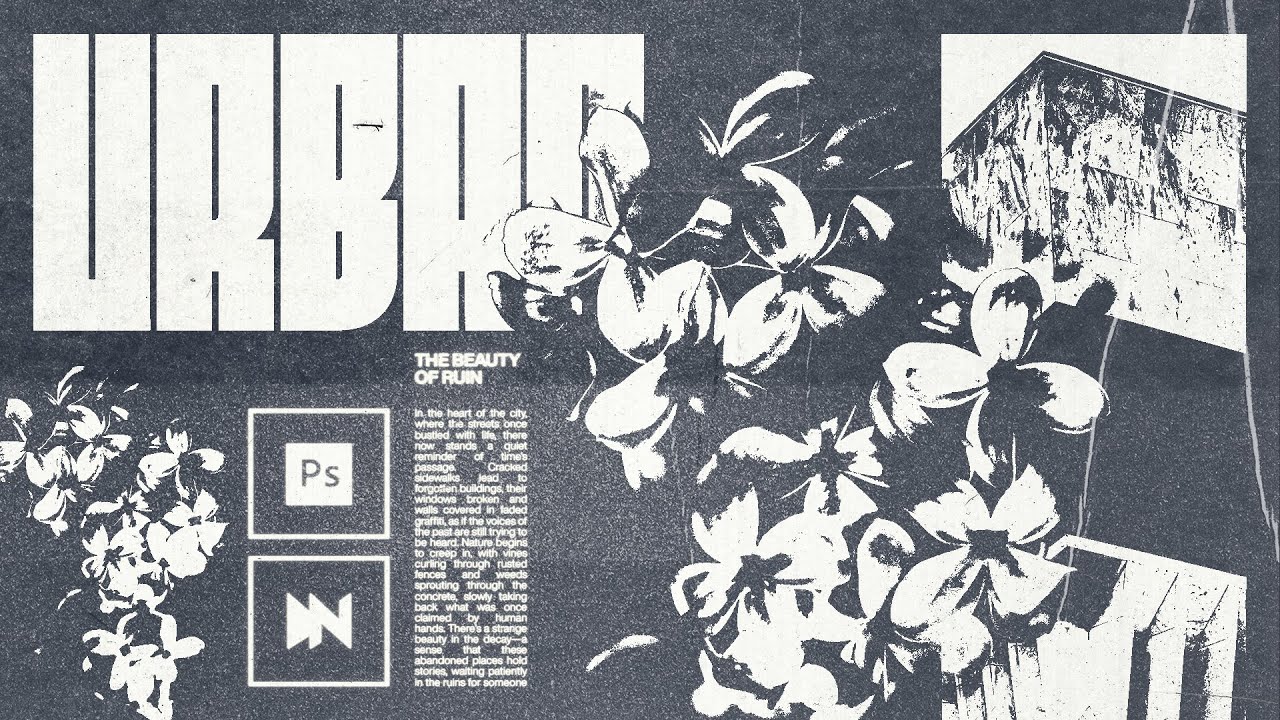
Brutalism is DEFINITELY my go-to design style – bold typography, minimal colour palette, and grunge textures creating such a powerful combination. Let me walk you through the design tricks I used to develop this ‘Urban Decay’ poster from scratch, shared on my Instagram – https://www.instagram.com/dangeorgehill/
Original Post: https://www.instagram.com/p/DFc9eZkMlUd/?img_index=1
Papercut Texture: https://designsyndrome.com/
Film Dust Texture: https://blog.spoongraphics.co.uk/freebies/30-free-film-dust-textures-add-dirty-effects-work
Andrey Styles: https://www.andreyazizov.com/
Chapters:
00:00 Intro
00:10 Canvas
00:28 Grids
00:45 Text
02:12 Image 1
04:04 Image 2
04:54 Threshold Layers
08:20 Text & Assets
09:25 Texturing & FX
11:54 Colours
13:15 Outro
Whether you’re a Photoshop beginner or a seasoned professional, I hope this tutorial will help you gain insight into my process, and potentially help you out in your own.
Let me know what you think 🖊️
CONNECT WITH ME:
LINKTREE: https://linktr.ee/dangeorgehill
Website/Portfolio: [https://dangeorgehill.com](https://dangeorgehill.com/)
Instagram: @dangeorgehill
Twitter: https://x.com/dangeorgehill
LinkedIn: https://www.linkedin.com/in/dangeorgehill
Pinterest: https://www.pinterest.co.uk/dangeorgehill
WORK WITH ME:
Mail: [dangeorgehill@icloud.com](mailto:dangeorgehill@icloud.com).
#graphicdesignskills #GraphicDesignTips #GraphicDesignTutorial #GraphicDesignInspiration #DesignProcess #AdobeIllustrator #AdobePhotoshop #DesignIdeas #CreativeDesign #LogoDesign #TypographyDesign #BrandDesign #DigitalArt #GraphicDesigner #visualdesigner