Create An Ai Website: https://www.darrelwilson.com/hostinger
Learn how to make a professional website with ChatGPT Sol and Claude in this complete step-by-step AI website design tutorial.
Evernote Prompt: https://share.evernote.com/note/9a58f67b-83b0-72a8-971b-a4c095b56b51
2nd Prompt: https://share.evernote.com/note/a83249fb-5448-ab91-e67d-ac86cdd35397
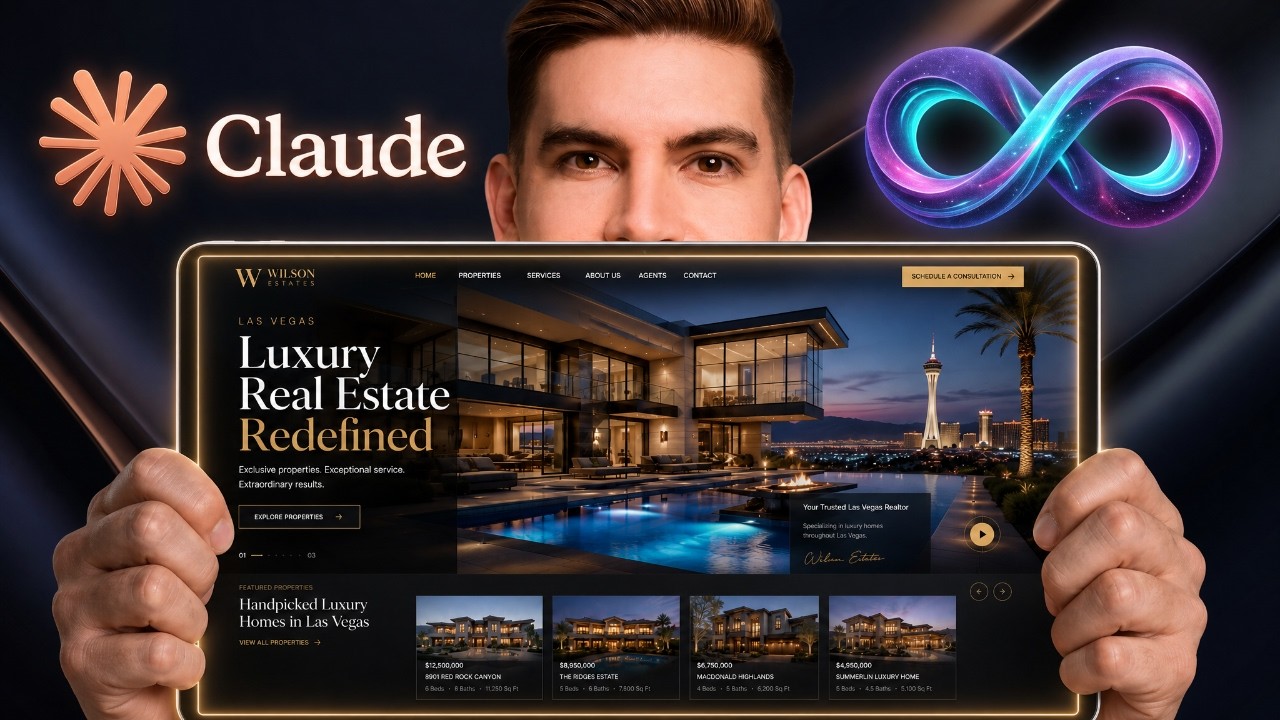
Instead of asking Claude to design a website from a basic text prompt, I’ll show you a much better workflow. First, we’ll use ChatGPT Sol to generate multiple high-end website screenshots. Then, we’ll choose the best design and upload it to Claude Design to turn the screenshot into a real, responsive website.
This method makes it easier to control the design, layout, colors, typography, sections, and overall style of your website before Claude begins building it.
In this tutorial, you’ll learn how to:
✅ Generate professional website screenshots with ChatGPT Sol
✅ Create multiple website designs from one prompt
✅ Choose the strongest design before building
✅ Upload a screenshot to Claude Design
✅ Convert an AI screenshot into a working website
✅ Improve the layout, sections, typography, and animations
✅ Make the website responsive for desktop and mobile
✅ Create additional pages based on the original design
✅ Use ChatGPT and Claude together for better results
This workflow is perfect for beginners, web designers, developers, freelancers, agencies, and anyone interested in vibe coding or building websites with artificial intelligence.
Rather than spending hours trying random prompts, you can visually design the website with ChatGPT first and then let Claude recreate the design.
Subscribe for more tutorials about ChatGPT Sol, Claude AI, AI website builders, WordPress, web design, vibe coding, and creating websites with AI.
#ChatGPTSol #ClaudeAI #AIWebsiteBuilder #WebDesign #VibeCoding