👉 View live: https://pizza-project-claude-design.vercel.app
🛠️ View on Github: https://github.com/chyrkov/pizza-project
🎁 Get a free week of Claude Pro: https://claude.ai/referral/-bAJSj_e7g?s=ios
💌 Join my newsletter: https://sergeichyrkov.com/newsletter
🎙️ Want to learn more? Book 1:1 session: https://sergeichyrkov.com/learn
______________________________
Useful stuff:
👉 Build websites in minutes with Framer — https://framer.link/chyrkov
👉 Record your screen like a Pro — https://screenstudio.lemonsqueezy.com?aff=GO290
👉 Best music for your videos (get 30 days for free) — https://www.epidemicsound.com/referral/am81qn
______________________________
Check out my links ⬇️
▸ My website — https://sergeichyrkov.com
▸ My studio — https://chyrkov.studio
▸ My curated resources library — https://designsweets.co
▸ Twitter — https://twitter.com/sergeichyrkov
▸ Instagram — https://instagram.com/chyrkov
▸ Behance — https://www.behance.net/chyrkov
▸ Linkedin — https://linkedin.com/in/sergeichyrkov
______________________________
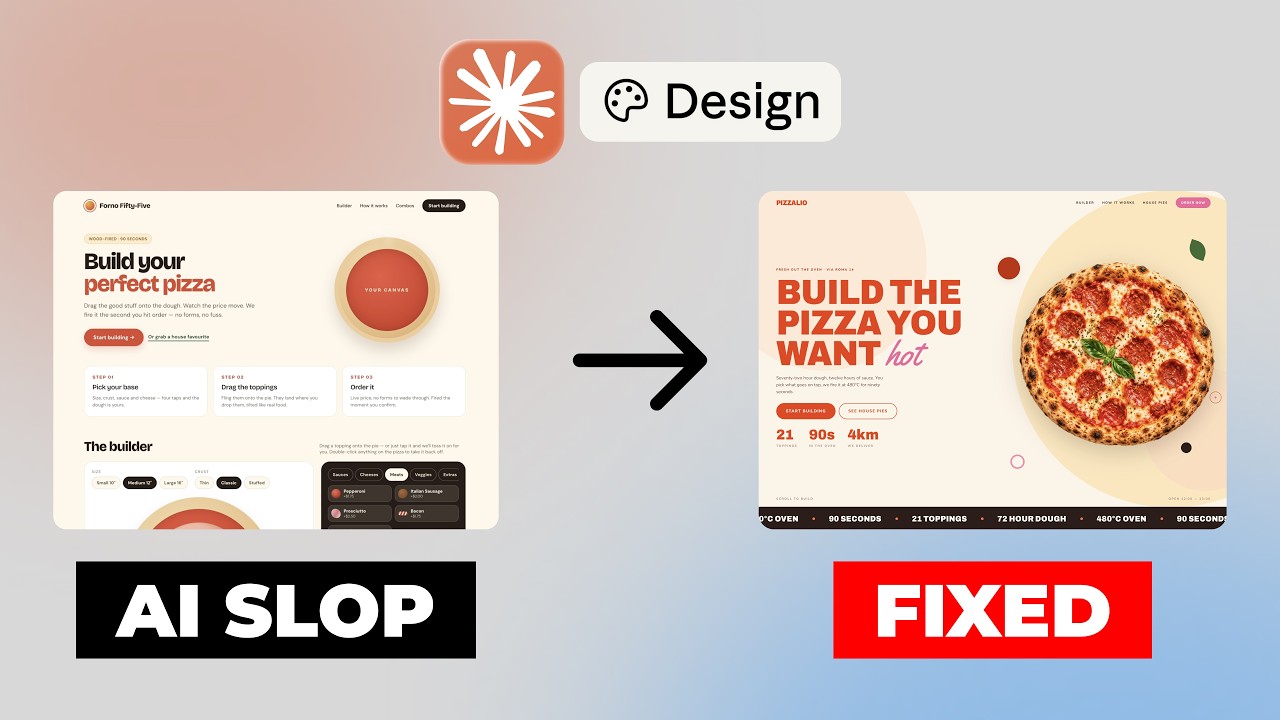
AI can generate a website in seconds, but the first result is almost never the one you actually want.
In this video, I’ll show you my complete Claude Design workflow for turning a generic AI-generated landing page into a polished, professional website. We’ll create a pizza ordering landing page, build a reusable design system, refine the UI, and then use Claude Code to transform the design into a real website.
Finally, we’ll reuse the same design system to generate brand assets like menus and social media posts, proving that a good design system is much more than just a website.
In this video you’ll learn:
• How to write better prompts for Claude Design
• How to iterate on AI-generated designs
• How to create and use a design system
• How to turn designs into code with Claude Code
• How to generate consistent brand assets with AI
If you’re a UI/UX designer, web designer, developer, or anyone using AI for design, this workflow will help you create websites that look less generic and more professional.
📝 Chapters:
0:00 — introduction
0:51 – Creating the prompt
1:40 – Claude Design — implementing from the markdown
2:30 – Testing the Generic Version
3:53 – Finding Design Inspiration
4:33 – Creating a Design System
6:00 – Exploring the Design System
7:07 – Applying the Design System to the Site
8:10 – Reviewing the Redesign
9:05 – Adding AI-Generated Images
10:15 – Sending to Claude Code
11:20 – Reusing the Design System: Menu
12:25 – Reusing the Design System: Social Posts
13:15 – Final Build in Claude Code
______________________________
😍 Monetarily Supporting The Channel:
If you like what I do and wish to support the channel monetarily, you can donate me with some coffee here: https://www.buymeacoffee.com/sergeichyrkov
This is appreciated and helps the channel, but please don’t feel that it is necessary to enjoy my content.
______________________________
📃 Disclaimer:
Some of the links in my video descriptions are affiliate links, which means at no extra cost to you, I will make a small commission if you click them and make a qualifying purchase.
______________________________
#claude #claudedesign #claudecode #uxui #webdesign #ai